蔚蓝档案 为何国内游戏圈火药味如此浓烈?
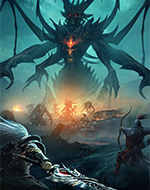
 恶意不息 你能想象魂like和暗黑like的结合是什么样子的么?
 浪人崛起8.0日本人做的“老头环”,动作开放世界游戏的又一破局者?
 冰汽时代2 什么逆天游戏!竟能让居民实行夫妻轮换制度?
 山门与幻境7.0被调侃烂的毫无新意的国产修仙游戏,1年时间竟“咸鱼翻身”?
 MONOPOLY GO! 7个月收入超10亿美元!这样“简单”的游戏凭啥火到全球第一?
 暗黑手游 曾经的暴雪国服遗老《暗黑手游》,现在居然能开官方“外挂”了?
 完蛋8.0全完蛋了?那些跟风出的“完蛋”游戏,怎么就全完蛋了?
 魔兽世界 官宣回归!《魔兽手游》要来了?暴雪事件时间线梳理!
 美女,请别影响我学习 MMO大厂完美世界做起“美女”,好评率竟...
 使命召唤:战区 3年研发下载千万,但暴雪又一次做烂了一个顶级IP
 这个面试有点硬 《有点硬》评测:面试完女神,我却一点都硬不起来
 重装前哨 和3A大作“平起平坐”的国产新游,为何玩家求着厂商涨价?
 剑星 体验完油腻师姐《剑星》,我们评价是:动作爽,牛牛也爽
 塔瑞斯世界 魔兽代餐?《塔瑞斯世界》这样的多端"手游"真是玩家想要的吗?


关于17173|家长监护|人才招聘|广告服务|商务洽谈|联系方式|客服中心| 网站导航|友情链接|版权保护投诉指引|隐私政策
Copyright © 2001-2024 17173. All rights reserved. 北京智汇游信息技术有限公司|京ICP证140516号|京ICP备14014454号-1|工业和信息化部备案管理系统网址
京网文[2021]3682-980号|互联网出版许可证
|信息网络传播视听节目许可证| 闽公网安备 35010002000107|
广播电视节目制作经营许可证 (京)字第10528号
闽公网安备 35010002000107|
广播电视节目制作经营许可证 (京)字第10528号
违法和不良信息举报电话:0591-88500579|举报邮箱:Copyright_17173@cyou-inc.com|未成年人专用投诉举报邮箱:Copyright_17173@cyou-inc.com
健康游戏公告:抵制不良游戏拒绝盗版游戏注意自我保护谨防受骗上当 适度游戏益脑沉迷游戏伤身合理安排时间享受健康生活






 新上古传说
新上古传说


 APP看视频更方便


 脸部还原度还差点意思?《星刃》女主1/4官方手办完工
 韩国产MMO新作《Raven 2》开始预约,5月底上线
 《胜利女神》1.5周年活动,两款新妮姬登场


 辰酱是什么酱